By Christopher L. Grachanen
The National Association for Proficiency Testing (NAPT) is pleased to announce a major upgrade to its ‘NAPT 17025:2017 Lookup Tool’, hereby referred to as the tool. The tool’s original functionality was limited to ISO/IEC 17025:2017 clause guidance from the perspective of clause definitions via search words or direct selection. With release of revision 8.0, the ‘Information’ portion of the tool has been vastly expanded now providing the following search categories harnessing the power of AI via author review, verification and editing;
- CLAUSE REQUIREMENTS
- CLAUSE GUIDANCE
- AI SUGGESTED ASSESSOR REVIEWS
- AI SUGGESTED AUDIT NONCONFORMITIES
- AI SUGGESTED RELATED CLAUSES
This information provides enormous insight into clause/sub-clause (C/S) interrelationships, mandates and potential pitfalls to avoid. This information has been compiled into a 582-page document entitled ‘ISO/IEC 17025:2017 Clauses Handbook’ available free from the NAPT website. Additionally, users may enter their own guidance information, searchable by topic or direct selection, providing an easy means to document/archive any aspect of laboratory accreditation sourcing from experience, articles, presentations, etc., with the ability to include graphics.
As one could infer from the above discussion, there are other updates for the tool. The tool’s new ‘Assessing’ functionality provides the means to conduct laboratory accredited assessments/pre-assessments in an ergonomic, logical fashion while documenting clause/sub-clause compliance evaluations (CSCE) … this is where things get really efficient!
At the heart of the ‘Assessing’ portion of the tool is the ‘General Checklist’ used for documenting CSCEs which automatically tracks completed evaluations allowing users to jump around the checklist without having to do mental gymnastics trying to remember which CSCEs have been completed. Each CSCE result (compliance, non-compliance or N/A) is recorded via a single mouse click incorporating ‘canned’ responses which can be edited and appended. Guidance for each evaluation is available by clicking a C/S number. Checklist C/Ss are easily accessed via a drop-down list reducing the need for scrolling throughout the checklist. For additional functionality, such as creating a final report and computing CSCE percent completions, a real help in gauging actual on-site assessment time vs allocated scheduled time, please refer to the tool’s user manual downloadable from the NAPT website.
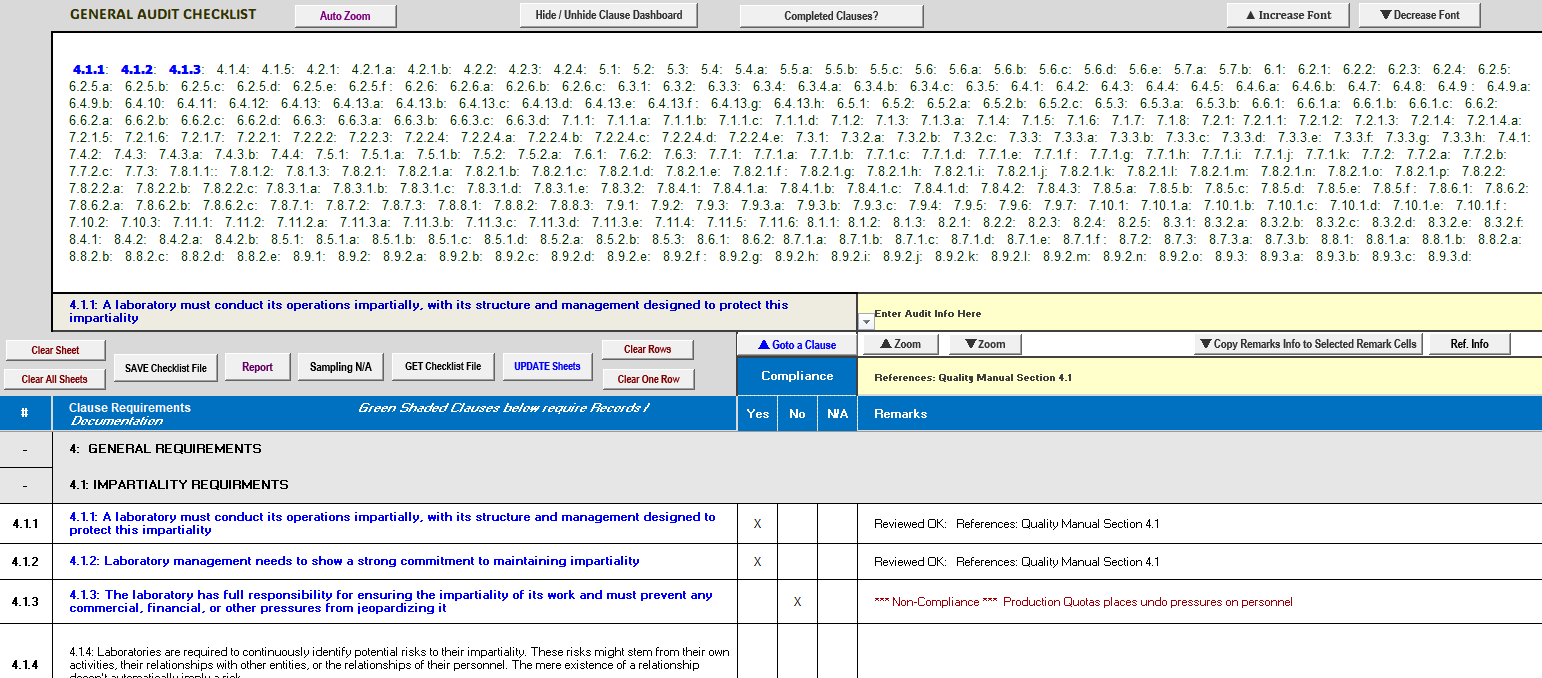
Continuing on with the ‘Assessing’ portion of the tool, any CSCE’s determined to be non-complaint can be copied to the ‘Audit Finding’ sheet (all additional sheets can be edited and saved to a file for archiving, sharing and printing). Clicking the ‘General Checklist – Update Sheets’ command button will copy information to other sheets such as audit information, any non-compliance CSCEs (‘Audit Finding’ sheet) as well as the 40 CSCEs that require a document # or record # to the ‘Clause Evidence Tracking’ sheet for easily verifying the required # have been entered.
Witness (Top-Down) Calibrations/Testing evaluations for an assessment can be performed via the tool’s ‘Top-Down Audit’ sheet. Required assessment clause topics along with other applicable AI generated topics (author reviewed, validated and edited) can be evaluated and results documented using this sheet. C/S guidance for witness topics are displayed via clicking an associated clause number. C/Ss that are satisfied by witness assessment may be copied to the ‘General Checklist’ sheet. Upon completing a witness assessment, results can be copied to the ‘Top-Down Matrix’ sheet for easy reporting and archival (see user’s manual for additional information).
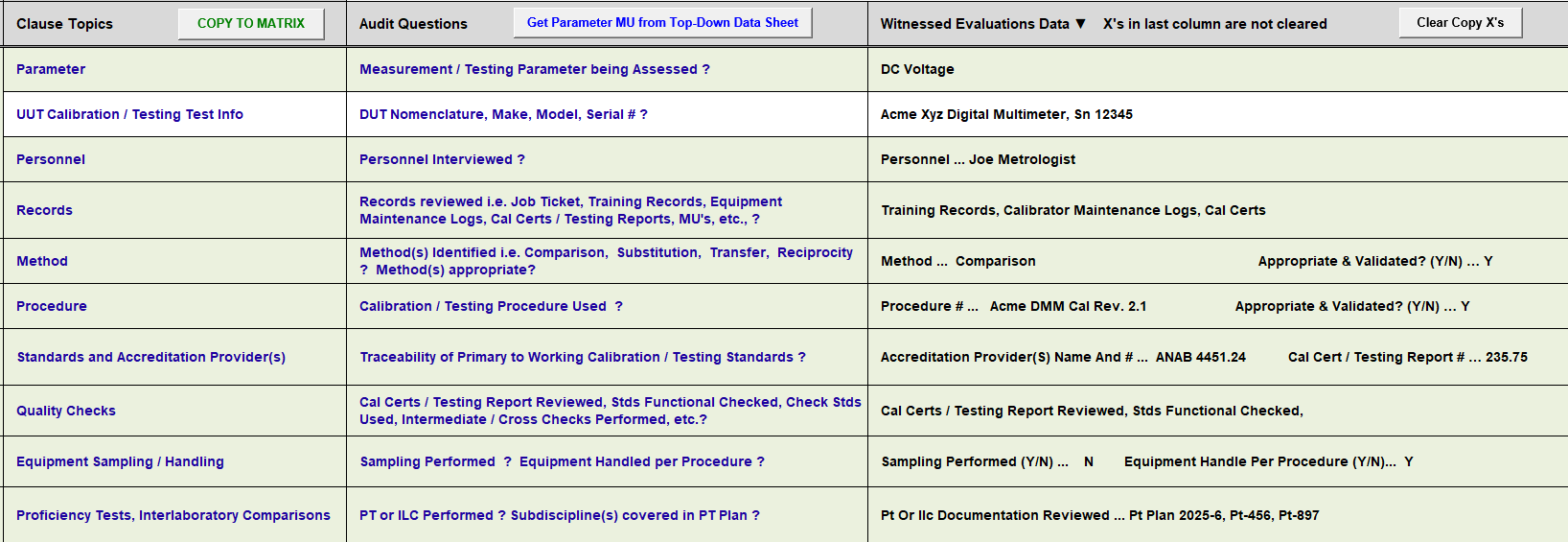
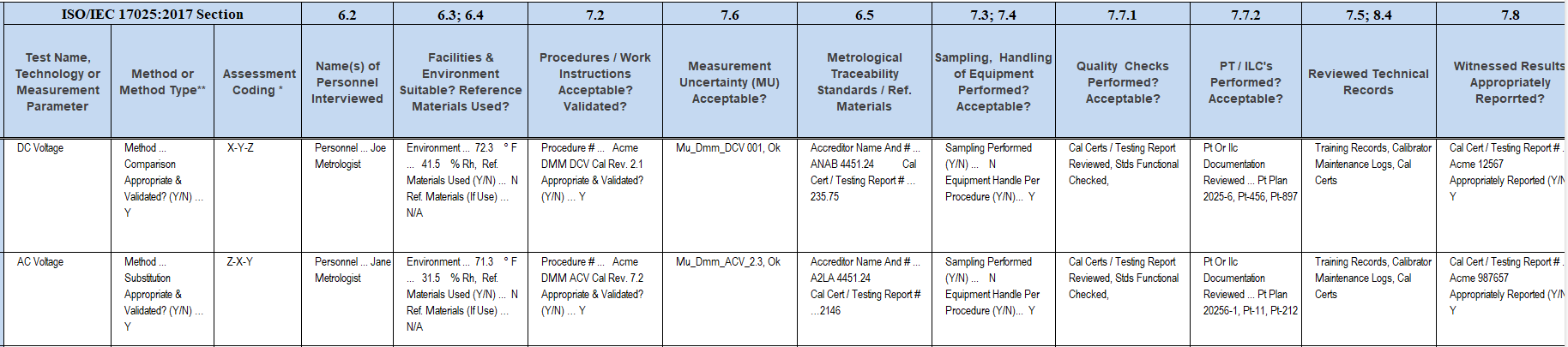
It is noteworthy to mention should a ‘Top-Down Matrix’ file get corrupted for whatever reason, it can be rebuilt using saved ‘Top-Down Audit’ files, a real assessment safeguard.
We will next explore the ‘Pre-Assessment’ portion of the tool which really launches us into hyper-drive. The ‘Audit Question’ sheet provide the means for creating audit questions associated with CSCE’s that can be answered during an assessment. Results which satisfy CSCEs can be easily copied to the ‘General Checklist’ sheet. C/Ss not satisfied can be cleared prior to copying them to the ‘General Checklist’ sheet. Using the ‘Audit Question’ sheet, one can literally conduct an entire assessment around a handful of pe-compiled clause-related questions.
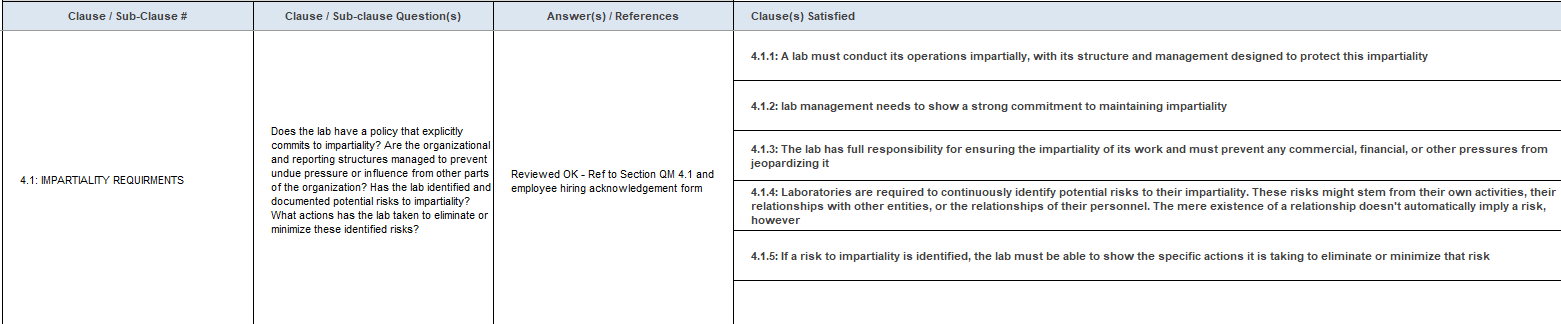
The ‘Top-Down Data’ sheet allows one to enter laboratory witness parameters (as typically found in a laboratory’s Scope of Accreditation), along with their associated measurement uncertainties file names prior to performing a witness assessment. This information appears as drop-down listings in the ‘Top-Down Audit’ sheet saving much lookup time during the assessment.
The real power of the pre-assessment portion of the tool is the ‘Documents Review’ sheet. Prior to an assessment, documents/records such as calibration certificates, proficiency reports, minutes from management reviews, etc., are normally provided by a laboratory for assessor evaluation. The ‘Documents Review’ sheet provides means to associate specific documents to applicable C/Ss for compliance evaluations. C/Ss which are satisfied by document reviews can be copied to the ‘General Checklist’ sheet.
The sheet’s clause grouping function will automatically associate C/Ss to a document type for the following;
- Calibration Certificate Clauses
- Complaint Clauses
- Environmental Clauses
- External Supplier Clauses
- Management Review Clauses
- Measurement Uncertainty Clauses
- Method Validation Clauses
- Non-conforming Work Clauses
- Proficiency Test Clauses
- Sampling Clauses
- Traceability Clauses
- Structure Requirement Clauses
C/Ss not satisfied in a clause grouping can be cleared prior to copying them to the ‘General Checklist’ sheet. Additionally, evidence, observations, remarks, etc., may be appended to the end of any satisfied clause before or during an assessment prior to copying them to the ‘General Checklist’ sheet.
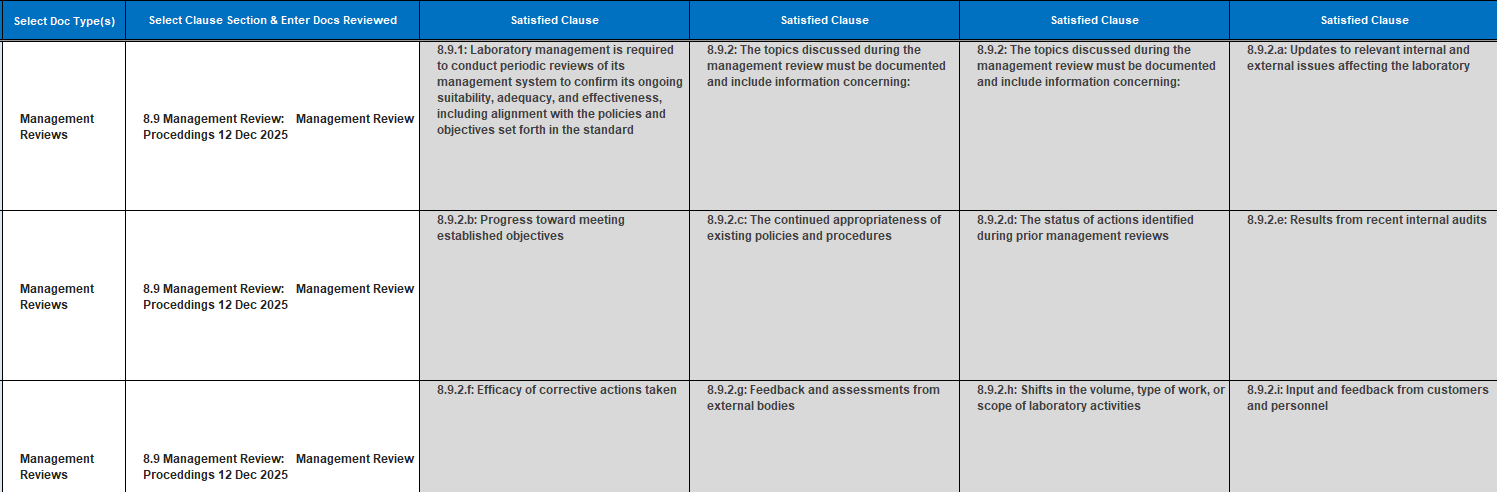


Given appropriate documentation and satisfactory CSCEs for all of the aforementioned clause groupings, a whopping 42.8% of an assessment may be performed without ever setting foot in a laboratory.
NAPT’s ‘NAPT 17025 – 2017 Lookup Tool’ revision 8 is a freeware application that can be downloaded at: