I remember calibrating my first PXI instrument and wondering what I’d done to make the calibration gods so mad at me. At the time, I didn’t realize it was a blessing in disguise.
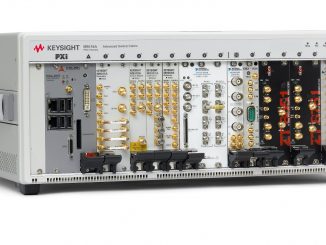
PXI and PXIe instruments are fundamentally different from the standalone benchtop gear most technicians spend their career working on. You can’t just plug them in, press a few buttons on the front panel, and take a measurement. They require a host computer, a carefully configured driver environment, and software that can interface directly to vendor-specific driver libraries. For a calibration technician, the job quickly shifts from traditional metrology to something that feels more like IT system support.
The temptation to bypass PXI instruments is tied to how long it takes to get the software working. When the technical overhead of troubleshooting the software overshadows the actual calibration task, it can feel like you are just spinning your wheels. Time is better spent calibrating instruments that just work.
IT takes a different skill set to learn how to calibrate PXI instruments, a skill set well worth the time and effort it takes to develop. Being a great electrical calibration technician without skills in modular instruments limits your overall career, because modular instruments are here to stay. And because this is an “Automation Corner” article, knowing how to calibrate PXI instruments and interface with them is a skill you must have in your toolbox.
Unlike traditional benchtop instruments, PXI instruments don’t have buttons or knobs. They only talk computer! Sometimes you will get lucky with a unit that has a text/SCPI interface. For the vast majority of PXI instruments, you will have to interface with the hardware using API functions—directly through dynamic libraries. Instead of text commands, you will have to make function calls and pass parameters with software that knows how to communicate with the supplied drivers.
But if you are like me, you want to make your automation easy to understand and easy to support. So how I approached this problem back in 2014 was to create a text interface to the function calls.Visit: https://www.callabsolutions.com/calibrating-a-uut-on-a-remote-computer-using-fluke-metcal/
Our approach is built on a layered architecture that separates the metrology service bus, the measurement process driver, and a command processor. This processor translates high-level text commands into the specific function calls the hardware requires.
By wrapping complex PXI and PXIe systems in this network-agnostic interface, we eliminate the ‘struggle’ of hardware complexity. Even a multi-slot card in a remote chassis behaves as if it is sitting right on your bench, turning a complex integration into a routine task. This is the foundation of Metrology.NET and the core of Cal Lab Solutions’ scalable automation model.
Building this model was a lot of work. It took a lot of revisions to get it right. Communicating with difficult instruments gave birth to Metrology.NET. It was the very first thing we did with the software that eventually became Metrology.NET.
Yes, it was hard work, but well worth it! Because I got a sole-source justification order from the DoD. They asked, “Who do you know who competes with Cal Lab Solutions?” “Who else in the United States can write PXI and PXIe automation?” My first thought was nobody. But then I thought about who competes with Cal Lab Solutions in general.
Then I opened up Google’s Gemini and asked the same question. Of those calibration software companies that write automation for benchtop equipment, none of them write custom automation software for PXI and PXIe. None of them have tackled the difficulty of software-based instruments. Most of them haven’t even tackled ISO/IEC 17025 uncertainties.
So, if you ask me, Hard Work Pays Off. It led to the creation of a whole new calibration software solution.